 ATTENDANCE
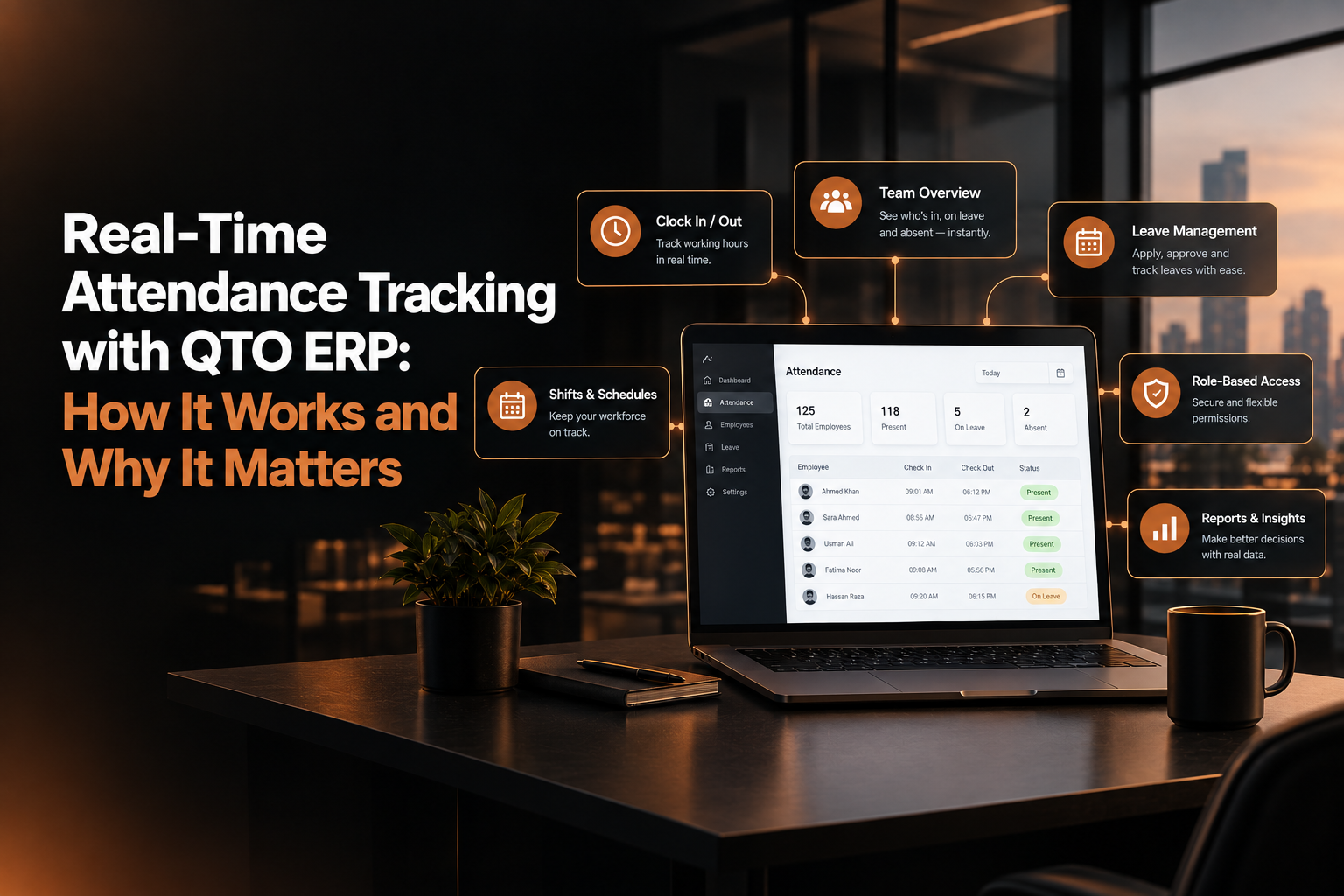
Real-Time Attendance Tracking with QTO ERP
Admin · October 6, 2026 · 6 min read · ATTENDANCE
Last updated October 9, 2026
QTO ERP’s real-time attendance module captures every check-in and check-out instantly, giving managers and HR live visibility into who is present, late, or absent so payroll is accurate, disputes drop, and productivity becomes easy to track.
How It Works and Why It Matters
Traditional attendance systems rely on manual registers, Excel sheets, or delayed biometric exports. By the time HR compiles the data, errors, disputes, and fake entries have already multiplied. QTO ERP replaces this with real-time attendance tracking that records every check-in and check-out instantly and makes it visible to managers and HR without delay.
The Problem with Old-School Attendance Systems
Most legacy attendance methods share the same weaknesses:
Data is updated once a day or once a month.
Late arrivals and early departures are noticed too late.
Proxy attendance and manual adjustments are hard to detect.
Payroll teams spend hours reconciling separate sheets.
In fast-moving businesses, this lag creates productivity loss, payroll errors, and trust issues between staff and management.
What Real-Time Attendance Means in QTO ERP
In QTO ERP, “real-time” means:
Attendance is recorded the moment an employee checks in or out.
Records are instantly available on the central dashboard.
Managers and HR can see live presence, absences, and exceptions without waiting for reports.
Any missing or irregular punch is flagged immediately, not at month-end.
This turns attendance from a back-office record into a live operational tool.
How QTO ERP Captures Attendance in Real Time
QTO ERP uses a digital, centralized approach to capture time data accurately.
Multiple Check-In Channels
Employees can mark attendance through:
Web portal on office computers or shared devices
Mobile app for field staff, sales teams, and remote workers
Optional integration with biometric devices where supported
Each entry is time-stamped and linked to the employee’s unique profile.
Instant Sync to the Central System
As soon as a check-in or check-out happens:
The record is saved in the central attendance database.
Dashboards update immediately for authorized users.
Missing punches, late marks, and early outs appear in exception lists right away.
There is no need to export files, email logs, or wait for IT to run scripts.
Live Visibility for Managers and HR
Real-time data is only useful if the right people can see it. QTO ERP provides role-based views.
Manager Dashboard
Managers can:
View who is present, absent, late, or on leave at any moment.
Filter by team, project, shift, or location.
Spot patterns like repeated latecomers or frequent early departures.
This helps in daily planning, meeting scheduling, and workload distribution.
HR Overview
HR gets a company-wide perspective:
Overall attendance trends by department or branch
Lists of employees with high late counts or absenteeism
Exception reports for missing punches and long breaks
HR can address issues the same day instead of waiting for month-end summaries.
Handling Shifts, Breaks, and Overtime Accurately
Real-time attendance in QTO ERP is not limited to simple in/out tracking. It understands how working time is structured.
Shift-Based Attendance
The system supports:
Fixed shifts (e.g., 9–6, 2–11)
Rotating shifts for factories, support desks, and retail outlets
Shift-specific late rules and grace periods
If an employee clocks in outside their assigned shift window, the system automatically marks it as late or off-shift.
Breaks and Net Working Hours
QTO ERP can:
Define standard break windows (e.g., 1-hour lunch between 1–3 PM)
Track actual break duration based on in/out punches
Calculate net working hours after deducting breaks
This prevents employees from claiming full-day hours while taking extended unofficial breaks.
Overtime Tracking
When staff work beyond their scheduled shift:
Extra hours are captured in real time
Overtime rules (daily or weekly thresholds) are applied automatically
Reports show who worked overtime, how many hours, and on which dates
Payroll then uses this data directly, eliminating manual overtime sheets.
Reducing Fake Attendance and Proxy Marks
Proxy attendance is a common issue in manual or poorly controlled systems. QTO ERP reduces this risk through digital controls.
Key safeguards include:
Unique login credentials for each employee
Time and location stamps for every check-in/out
Optional geo-fencing for field staff (attendance allowed only within defined areas)
Audit logs that record who marked attendance, when, and from where
If someone tries to mark attendance for another person, the system’s digital trail makes it easy to detect and act upon.
From Attendance to Payroll Without Manual Work
The biggest advantage of real-time attendance is seamless integration with payroll.
In QTO ERP:
Attendance data flows directly into the payroll module.
Late deductions, early-out penalties, and overtime are calculated using actual recorded hours.
HR does not need to re-enter data or reconcile separate attendance and salary sheets.
This reduces errors, saves time, and makes salary processing transparent and defensible in case of disputes.
Real-Time Reports That Drive Decisions
QTO ERP converts raw attendance data into actionable insights.
Daily and Weekly Summaries
Managers can generate:
Daily attendance reports showing present, absent, late, and on-leave staff
Weekly trend reports to identify chronic attendance issues
Project-wise or client-wise time logs when linked with project modules
These reports support better staffing, client billing, and performance reviews.
Exception and Compliance Reports
HR can quickly pull:
Lists of employees with missing check-in/out
Staff with high late counts or unauthorized long breaks
Location-wise or department-wise exception summaries
Instead of fire-fighting at month-end, HR can coach or warn employees as issues occur.
Built for Office, Field, and Hybrid Teams
QTO ERP’s attendance module is designed for modern work models.
Office-Based Employees
Check-in via office devices or shared terminals
Clear shift timings, break rules, and late policies
Easy alignment with existing HR and compliance rules
Field and Remote Staff
Mobile check-in/out with location capture
Geo-fenced attendance for specific client sites or project locations
Real-time visibility for sales managers and operations heads
This makes the system suitable for companies with mixed workforces across multiple locations.
Why Real-Time Attendance Matters for Your Business
Real-time attendance tracking with QTO ERP delivers clear business benefits:
Higher accuracy: Every minute is recorded digitally, reducing manual errors.
Faster decisions: Managers see live data instead of waiting for reports.
Lower payroll risk: Salary is based on actual hours, not estimates.
Better discipline: Employees know their time is tracked fairly and transparently.
Less admin work: HR spends less time compiling sheets and more time on strategic tasks.
Over time, this leads to a more disciplined workforce, cleaner records, and smoother operations.
Final Word
Attendance is the foundation of workforce management. If it is slow, inaccurate, or easy to manipulate, everything built on it productivity tracking, payroll, project costing becomes weak.
QTO ERP’s real-time attendance tracking makes the entire process instant, accurate, and transparent. Managers get live visibility, HR gets reliable data, and employees work in a system where every minute is recorded correctly and fairly.