Having attendance, leave, and work schedules organized in one system makes everyday workforce management much easier. QTO ERP helps us keep employee time records structured and easier to review
Michael Anderson
HR Operations Manager · QTO SOLUTIONS
Manage employee attendance, working hours, shifts, breaks, leave, overtime, and time records in one centralized system with QTO ERP. Simplify daily time tracking and give HR teams and managers clearer visibility into workforce attendance
Everything you need to manage employee attendance, working hours, breaks, and time records with greater accuracy and control
Track employee attendance with quick web or mobile check-ins and check-outs. Automatically record working hours and maintain accurate time entries with schedule-based validation
Manage employee leave with defined leave policies, leave applications, leave balances, and structured approval workflows. Simplify the process for both employees and HR
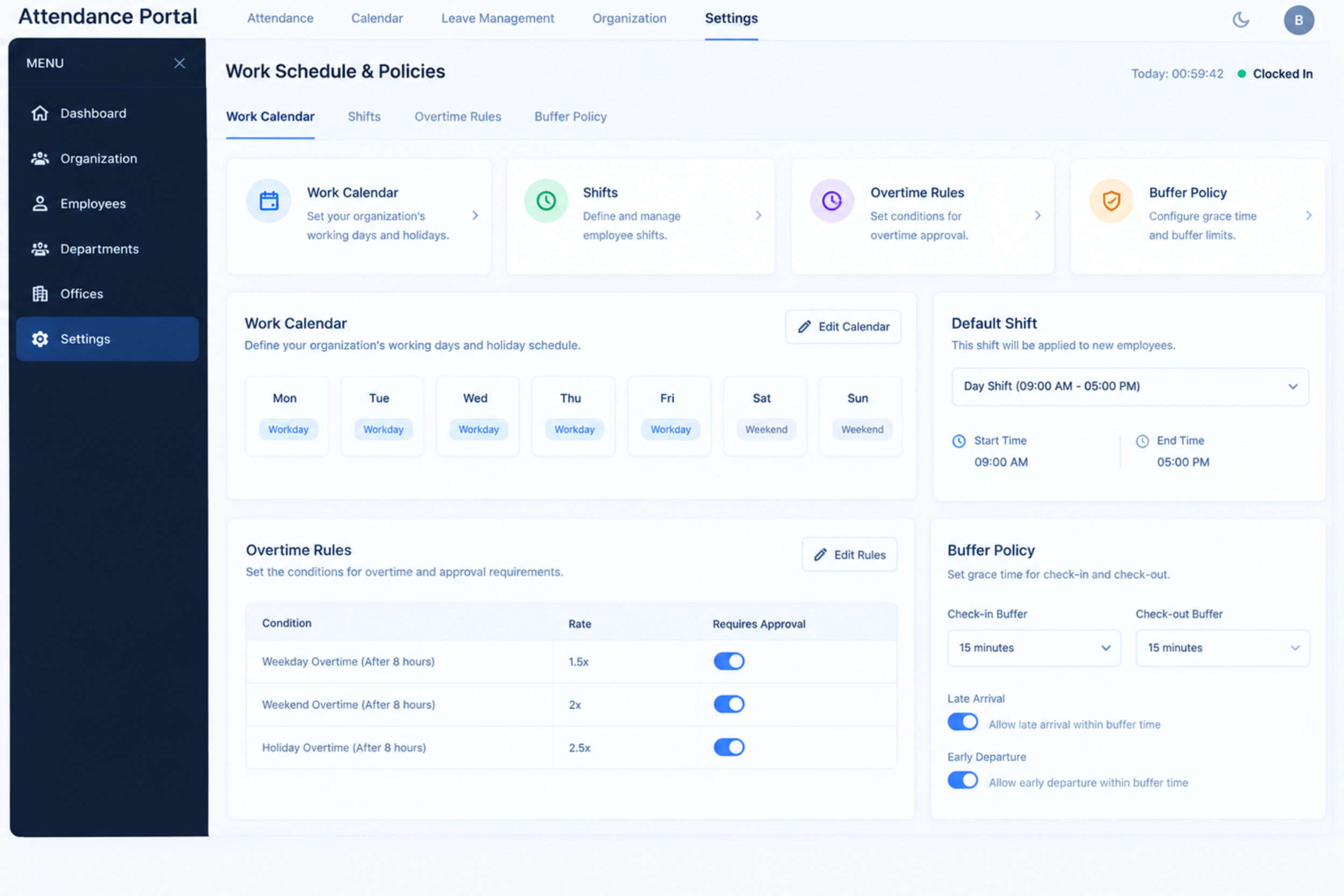
Define work calendars, employee shifts, overtime rules, and buffer policies to support consistent working schedules and accurate time tracking
A simple workflow for recording attendance, managing time, reviewing requests, and keeping employee records organized
Employees record their start and end times, while working hours are captured in their attendance records
Record break timings and monitor working hours throughout the day for accurate time tracking
Employees can submit correction requests for missed or incorrect attendance entries, with managers reviewing the changes
Use team overviews and attendance calendars to review employee schedules, attendance activity, and availability
The day-to-day pain points this module removes — and what it puts in their place.
Missed or Incorrect Attendance Entries
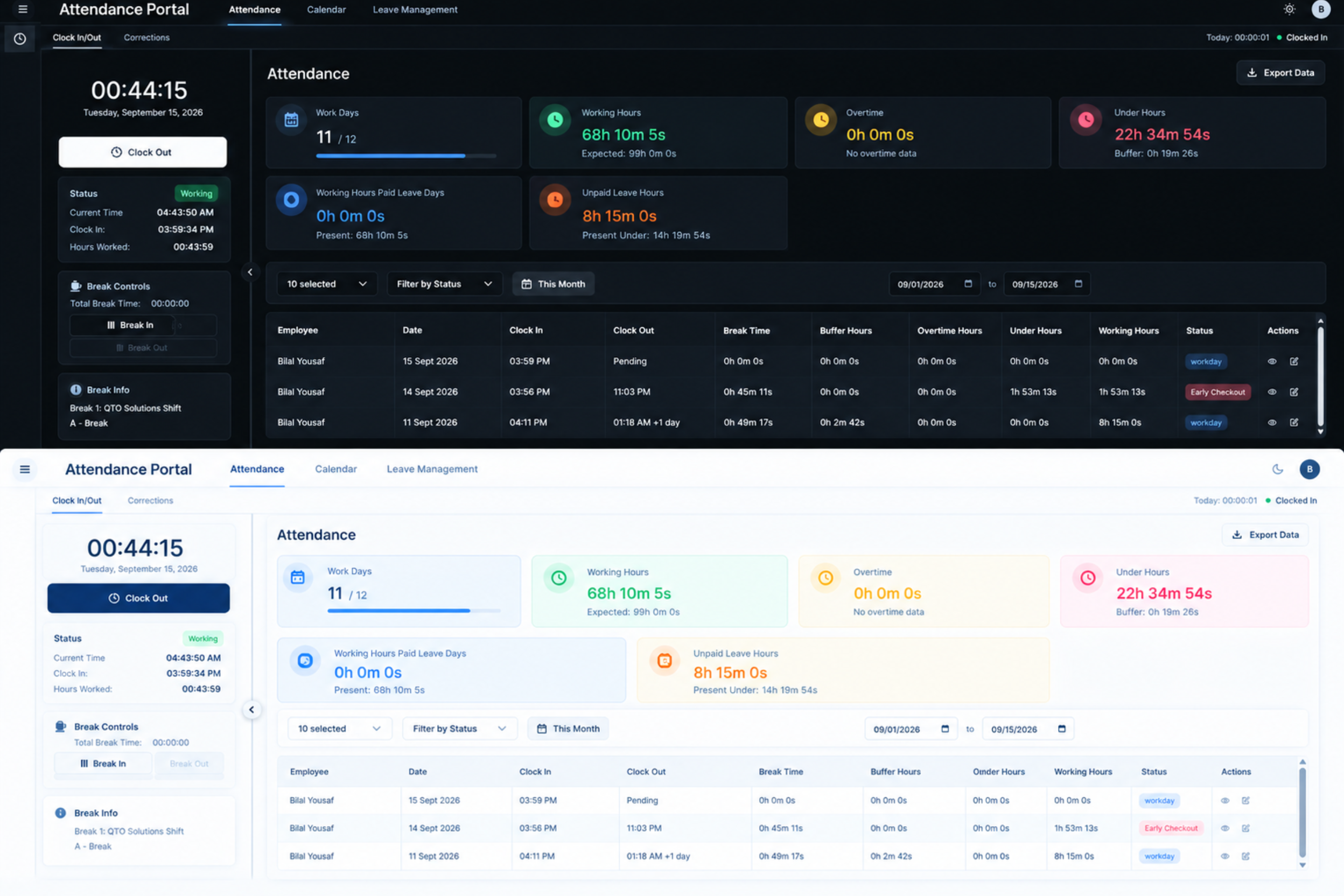
QTO ERP lets employees clock in and out digitally and submit attendance correction requests when an entry is missed or incorrect, helping keep attendance records accurate
Manual Leave Requests and Approval Delays
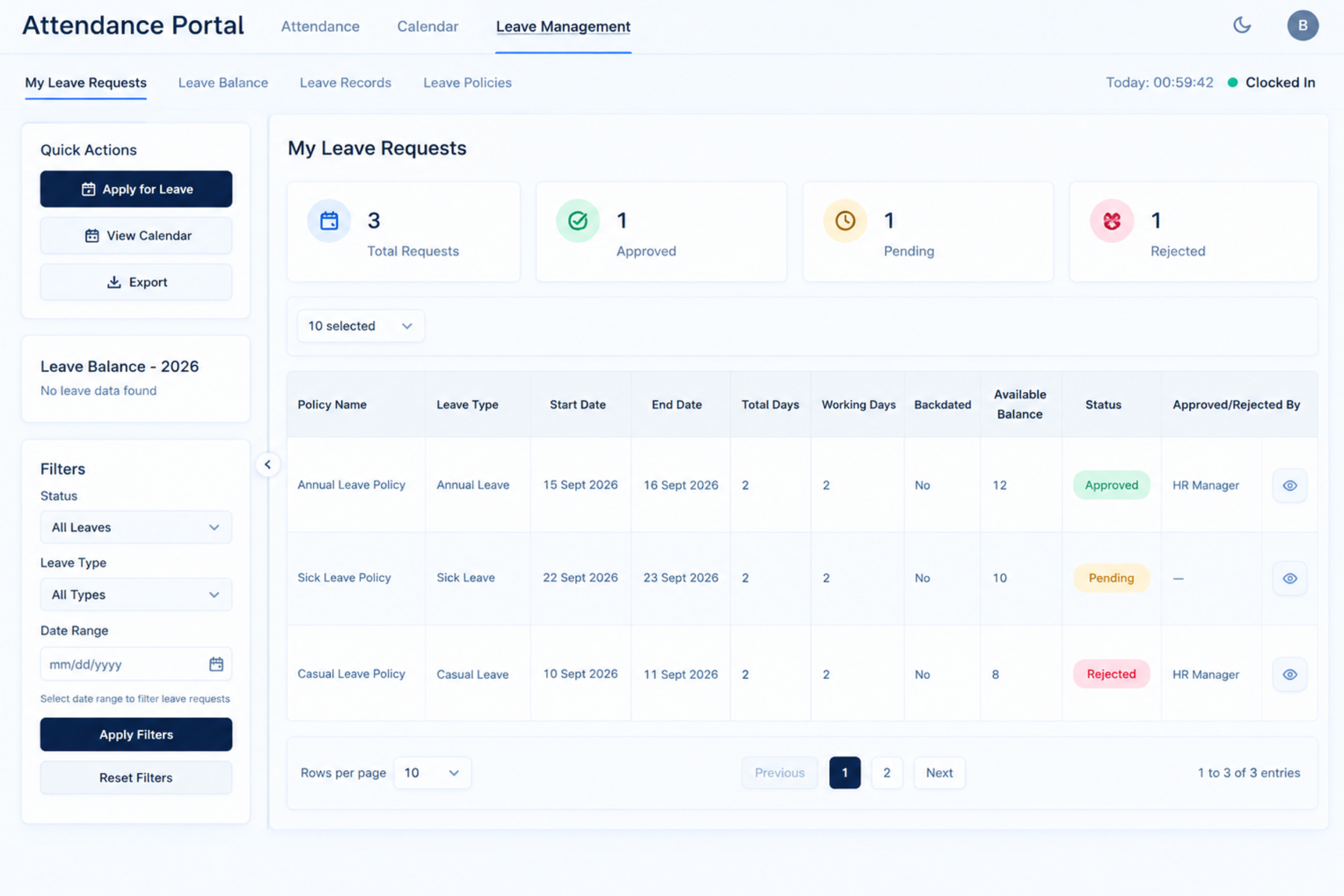
QTO ERP brings leave applications, leave balances, and approval workflows into one place, making it easier for employees to request leave and HR to review and approve requests
QTO ERP brings employee attendance, working hours, breaks, leave, and attendance corrections into one centralized system. Employees can easily record clock-ins and clock-outs, manage break timings, submit correction requests, and apply for leave. HR and managers can review attendance records, team schedules, and leave activity through organized views, making everyday attendance management easier to monitor and maintain.
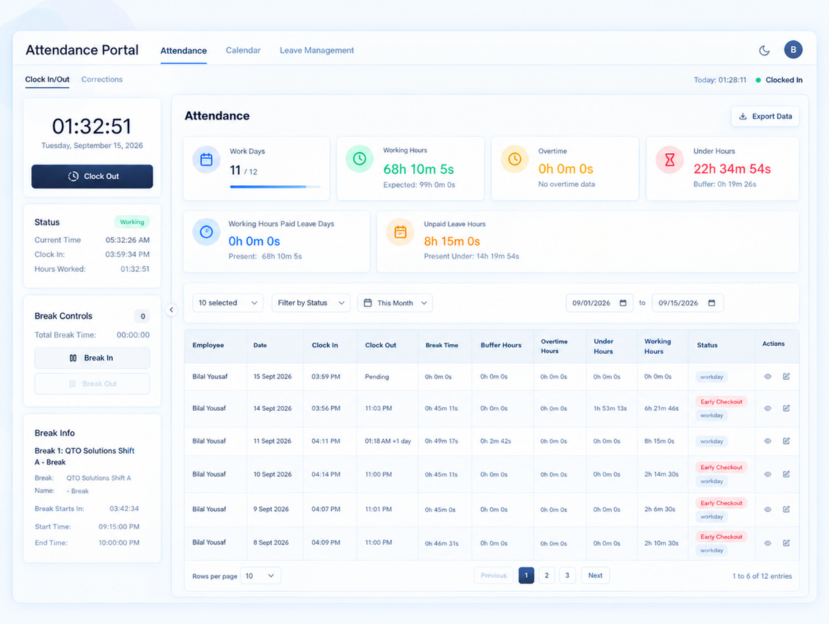
Manage employee attendance, leave, working hours, schedules, and access with practical tools designed for everyday workforce management
Record employee attendance with simple clock-in and clock-out actions, while break timings and attendance corrections stay organized in one place. Employees can request corrections for missed or inaccurate entries, helping maintain reliable attendance records.
01
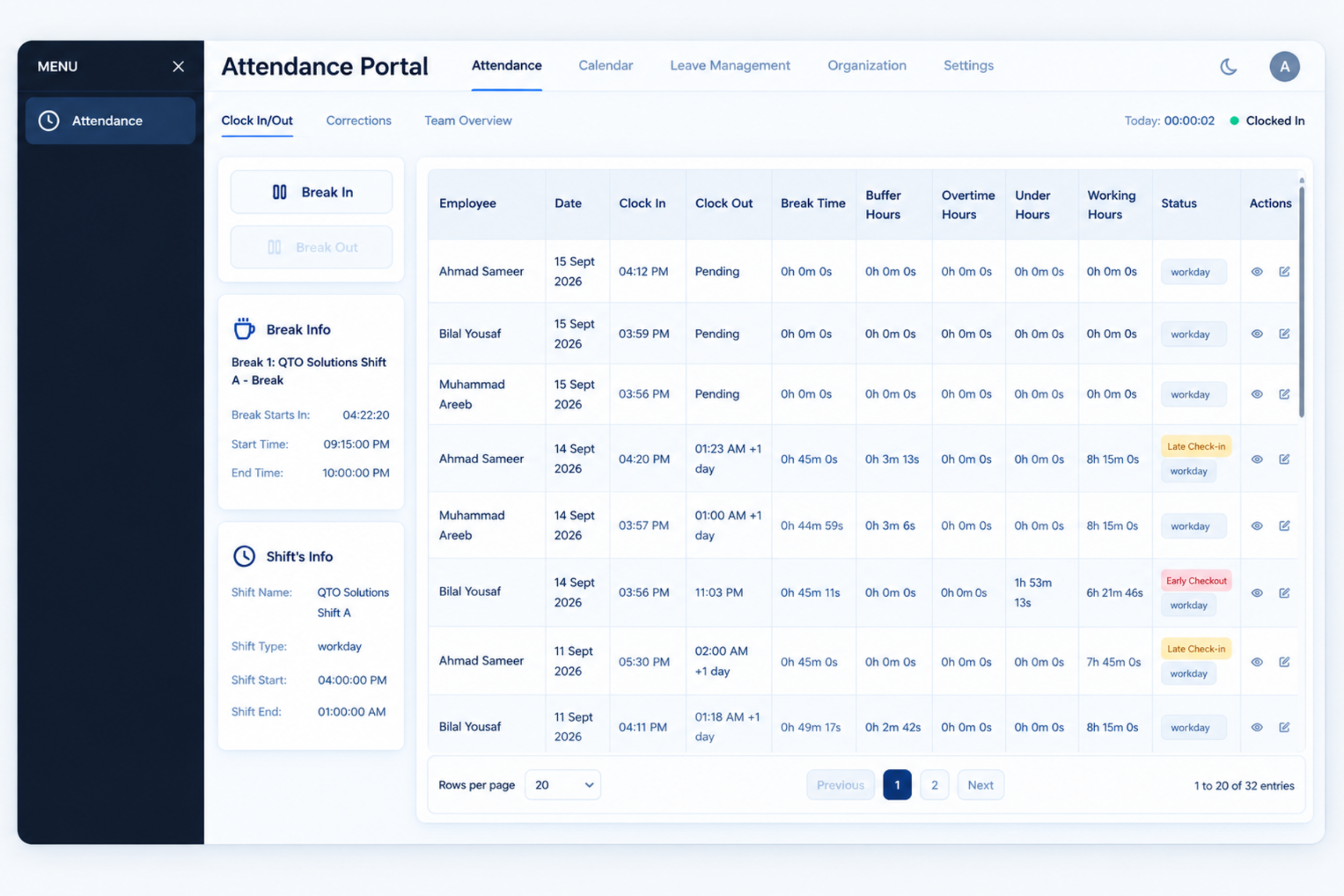
Give employees and managers a clearer view of attendance with Team Overview, My Calendar, and Team Calendar. Review individual attendance, team schedules, and daily activity without relying on scattered records. Stay informed about team attendance, scheduled workdays, and employee availability through one organized view.
02
Manage employee leave from application to approval with department-level leave policies, leave balances, and structured approval workflows. Employees can easily submit leave requests and track their status, while HR can review and manage requests through an organized process.
03
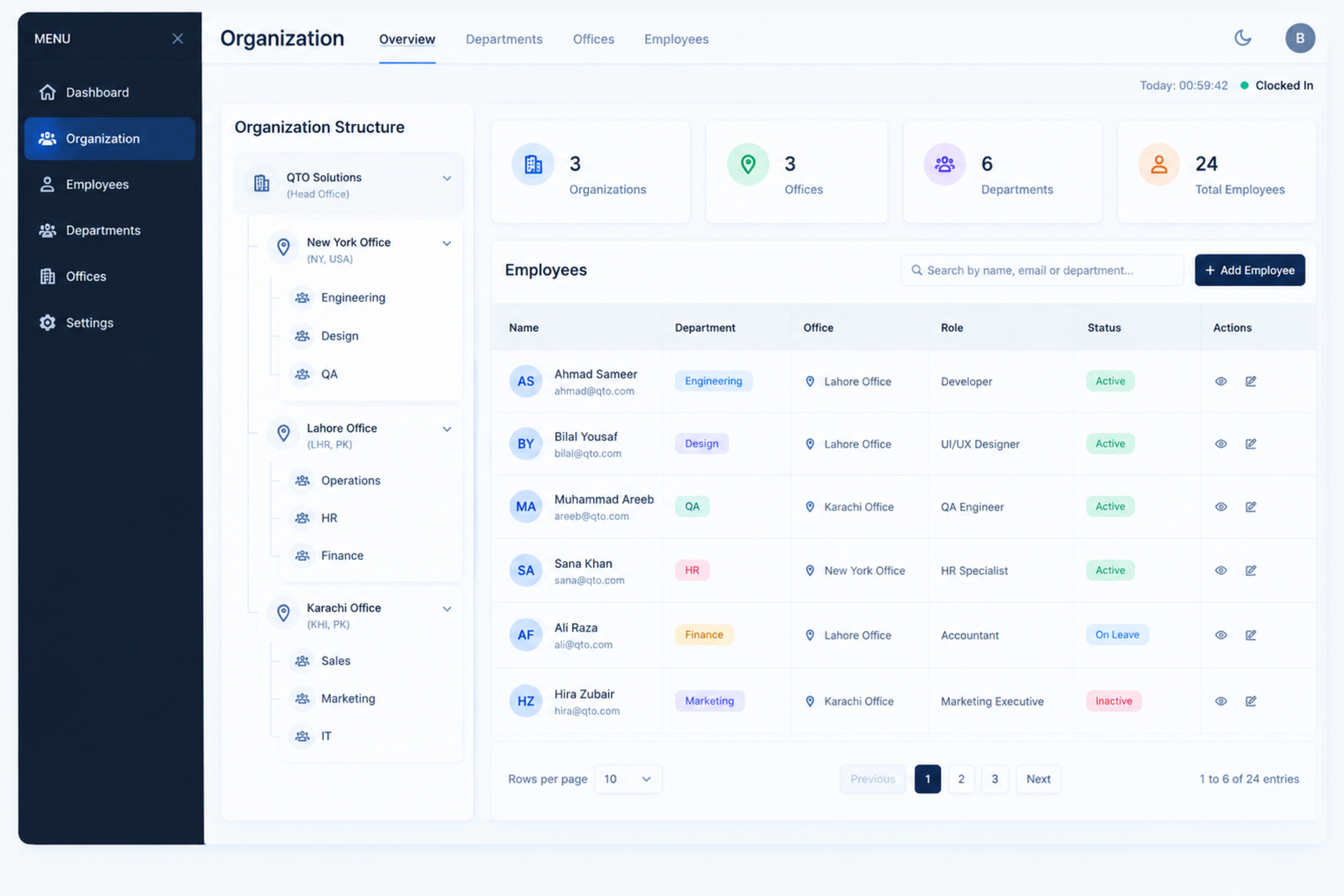
Build a clear organizational structure by managing organizations, offices, departments, and employees within a defined hierarchy. Keep workforce information organized across different business units and make it easier to manage employees according to their respective departments and offices.
04
Define work calendars, employee shifts, overtime rules, and buffer policies according to your organization’s working requirements. Set clear schedules and time policies to support consistent attendance tracking, while making working hours and overtime easier to manage across different teams.
05
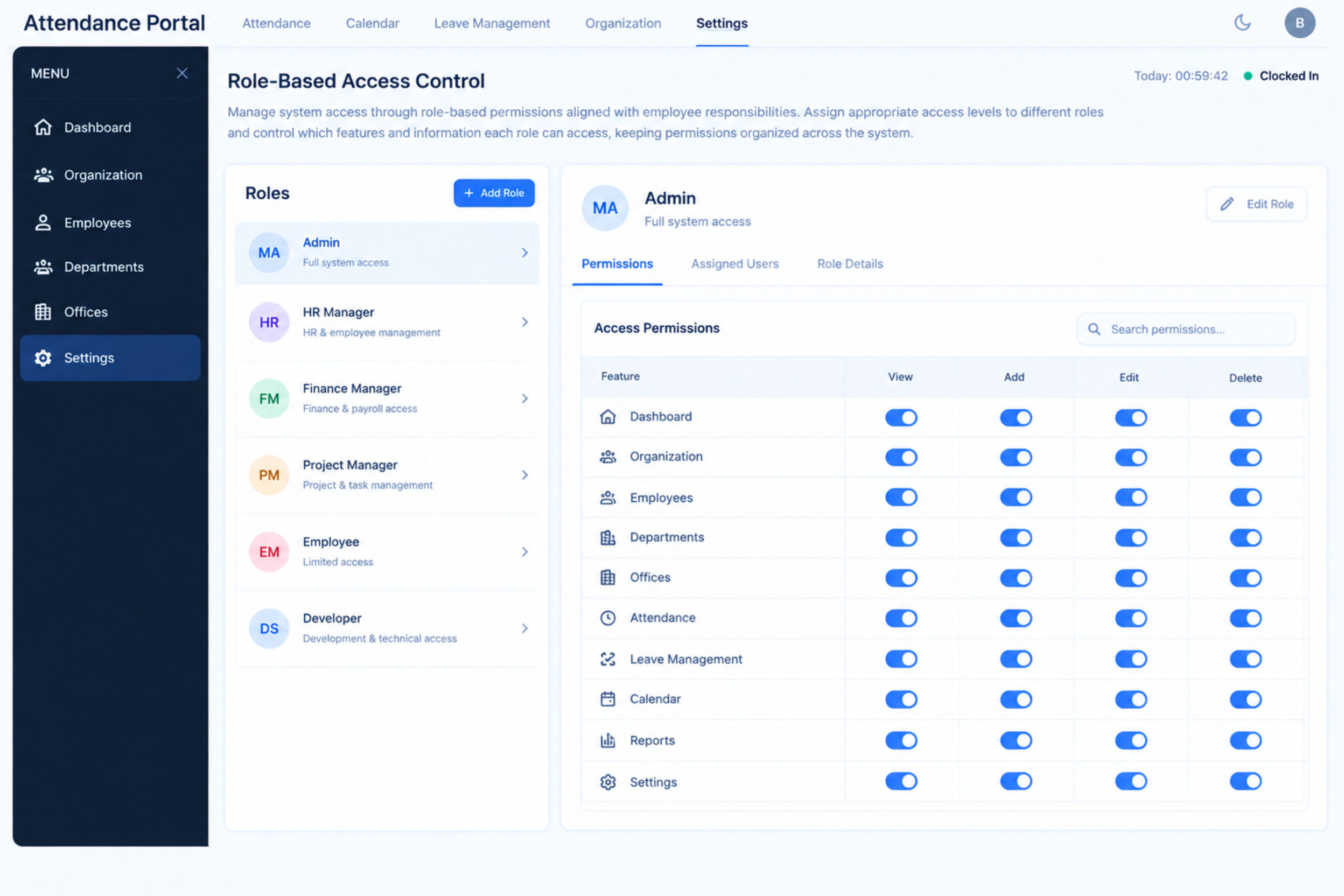
Manage system access through role-based permissions aligned with employee responsibilities. Assign appropriate access levels to different roles and control which features and information each role can access, keeping permissions organized across the system.
06
Discover how our Attendance module simplifies time tracking, leave management, and overtime control — all in one seamless workflow.
Discover how organizations are boosting efficiency, improving collaboration, and delivering projects on time with our platform.
Average rating
Faster rollout
Active seats
Satisfaction
Having attendance, leave, and work schedules organized in one system makes everyday workforce management much easier. QTO ERP helps us keep employee time records structured and easier to review
Michael Anderson
HR Operations Manager · QTO SOLUTIONS